Bring calm and focus
back to Slack


Automatically update your Slack status
Enjoy more focused work and reduced interruptions by automatically updating your status in Slack to let the team know when you need to concentrate and when they can expect a response
- Schedule status changes in advance
- Share what you’re working on
- Sync with Google Calendar
- Achieve focus and deep work as a team
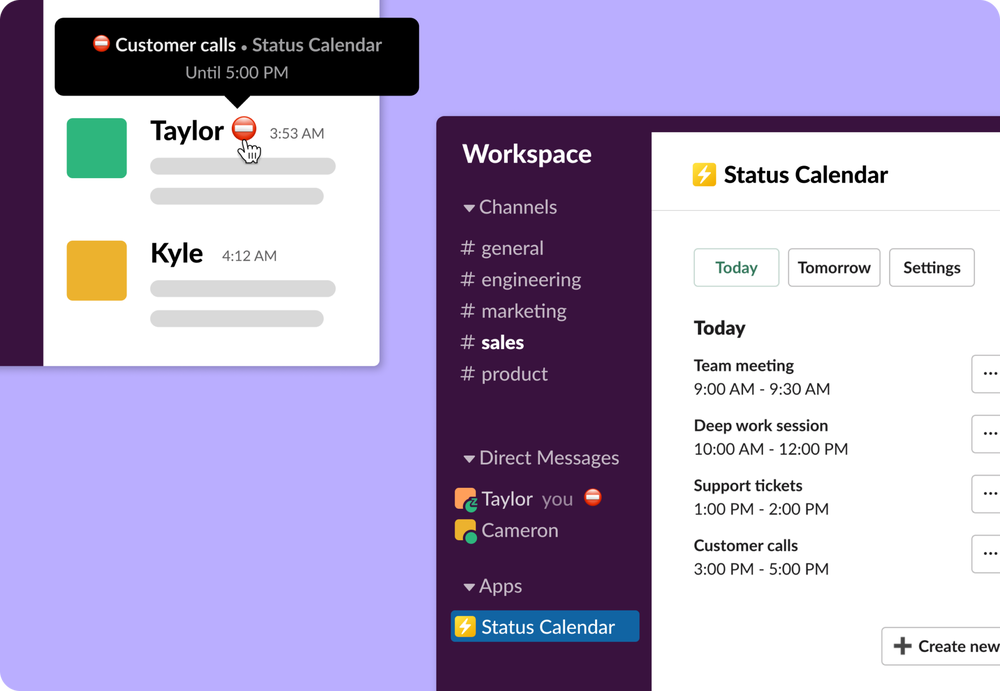
Schedule status changes in advance
Stay focused on the right thing and achieve deep work by planning your workdays and scheduling updates of your Slack status according to your time blocks
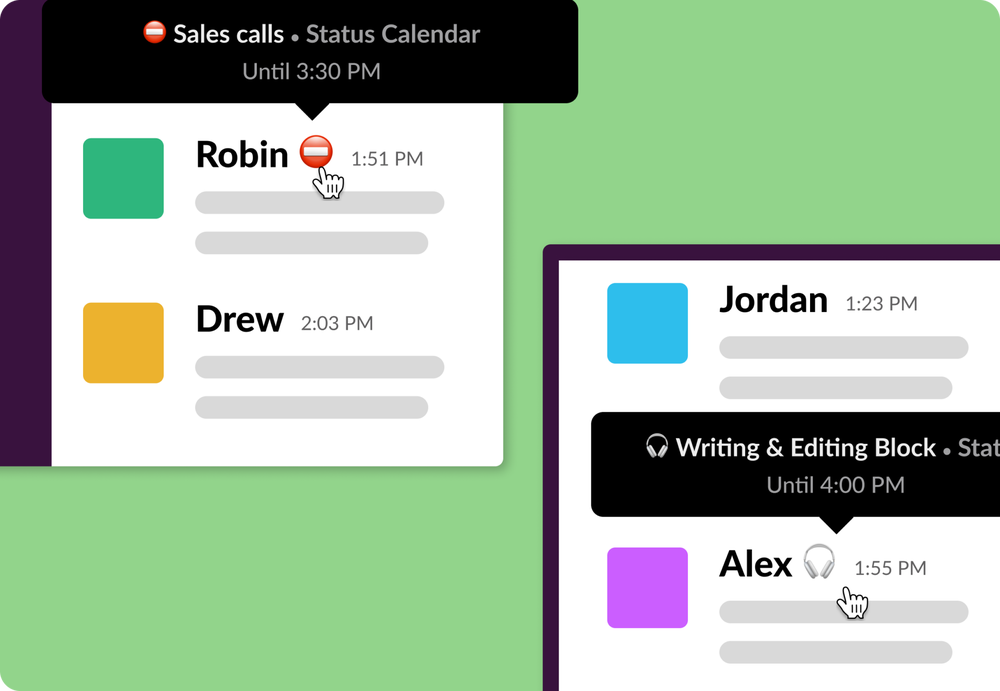
Share what you’re working on
Broadcast what you’re currently working on and eliminate distracting check-ins and stressful expectations of immediate responses
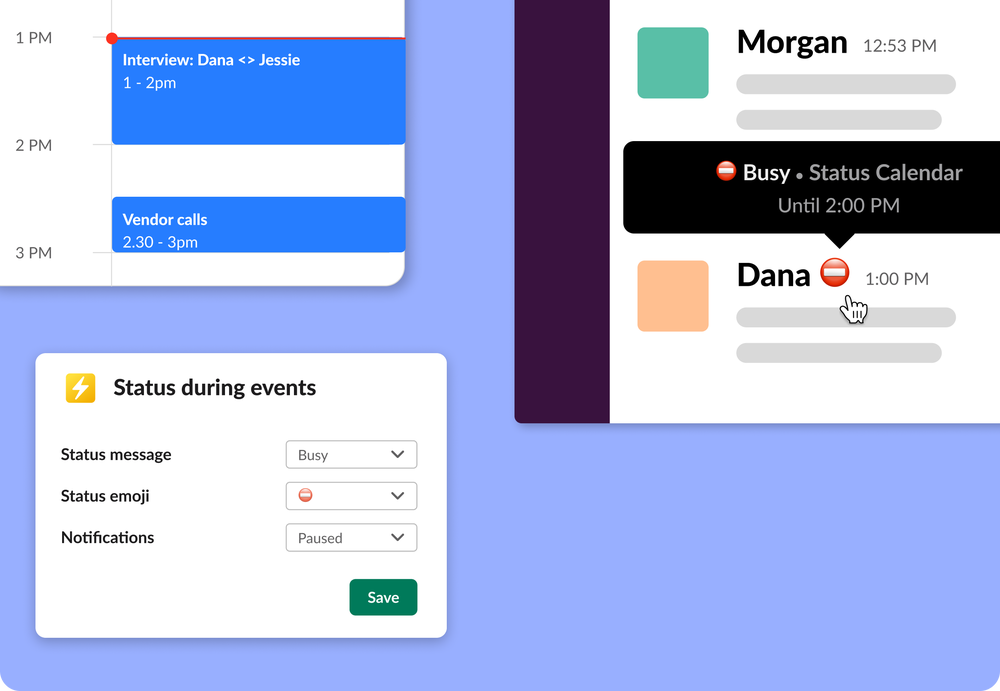
Sync with Google Calendar
Connect your calendar and automatically update your status and notification settings whenever a calendar event starts and ends
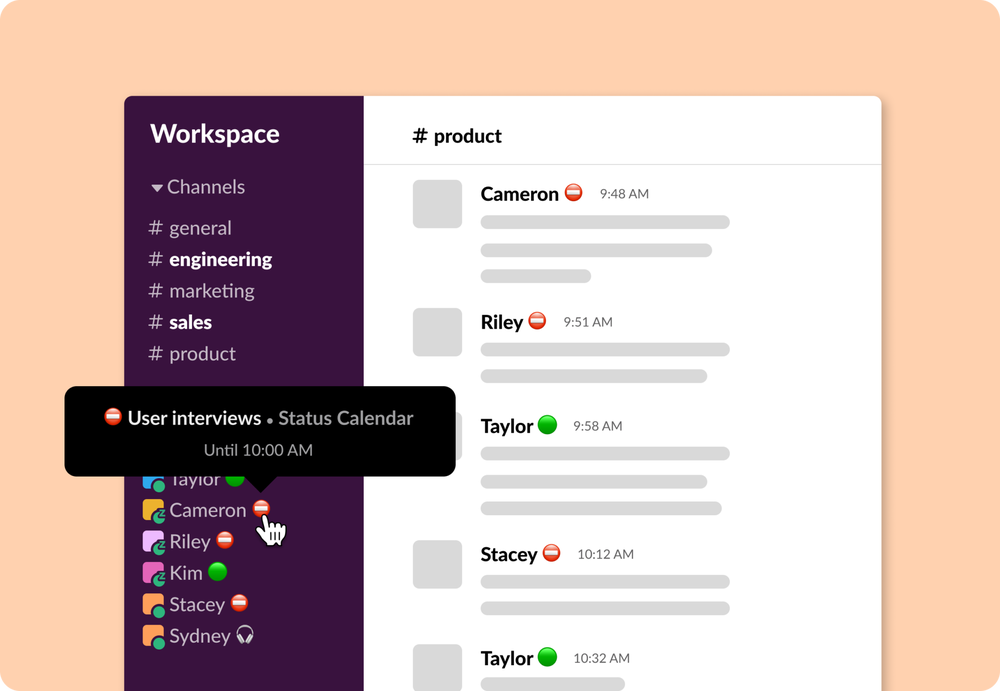
Achieve focus and deep work as a team
Do your best work as a team by helping each other maintain focus, avoid distractions, and concentrate deeply with always up-to-date Slack statuses
Frequently Asked Questions
Click the Add to Slack button above to add Status Calendar to your Slack.
After you install Status Calendar, the app is available for anyone in your workspace to use. To have your Slack status sync with your Google Calendar, you need to connect your Google account. Status Calendar makes it easy for you to do that. You will also receive an email from Status Calendar to help you get started and so you can send us any questions or feedback you have.
Yes, anyone in your workspace can use Status Calendar once it’s installed in your workspace. To automatically update their status based on their Google Calendar events, they just need to connect their Google account.